Prerequisites
Before setting up recurring payments, you must:
- Connect your PayPal account to VendorPayout with active PayPal Payouts
- Complete at least one successful vendor payout using PayPal
Setting Up Recurring Payouts
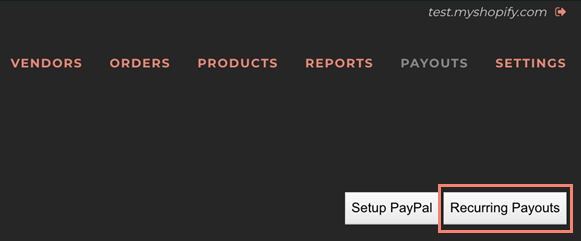
- Launch VendorPayout and go to Payouts.

- Click the Recurring Payouts link.
- Click the Create recurring payout button.
- Select the vendor from the Select a Vendor dropdown.
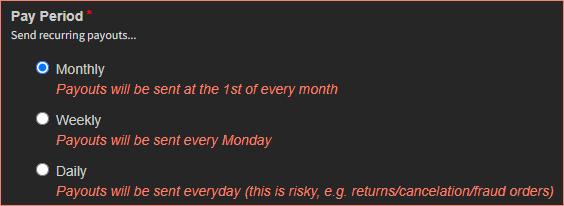
- Specify frequency: Quarterly, Monthly, Weekly, or Daily.
- Select the applicable grace period: None, 7 days for weekly payouts, 30 days for monthly payouts, or 90 days for quarterly payouts.
- Configure the vendor's PayPal profile (currency and email/Venmo).
- Select moderation: Auto Approve, Auto Approve up to an Amount, or Approval Required. The amount option automatically sends payouts at or below your threshold and emails you for approval above it.
- Click the Submit button.
The recurring payout will be displayed on the Recurring Payout Setup screen.

How Recurring Payouts Are Approved
For statement-led stores, each recurring run builds a draft payout statement from the vendor's eligible unpaid sales for the period, rather than sending a single lump sum. If there are no eligible unpaid sales, nothing is created for that run.
- Auto approve (or amounts at or below your auto-approve threshold): when PayPal is set up, VendorPayout pays the draft statement through PayPal and marks it paid automatically.
- Approval required (or amounts above your threshold): the draft statement is held for you. You'll get an email that links straight to the draft, and it also appears under Payouts → Recurring Payouts moderation. Open the statement to review the itemized sales, then settle it — pay via PayPal or record a payment. See Create a Payout Statement.
Nothing is sent until the statement is approved, so you always confirm the exact sales and amount before any money moves.
Editing and Removing Recurring Payouts
You can modify existing recurring payouts by accessing the vendor details through the Recurring Payouts list. To permanently remove a recurring payout, use the Remove link.