Prerequisites
Before connecting PayPal, you'll need:
- A PayPal business account with Payouts access enabled
- A verified identity, confirmed email, and linked bank account on PayPal
- Sufficient funds in your PayPal account
Setup Steps
- In VendorPayout, open the Payouts section and select the PayPal Setup tab.

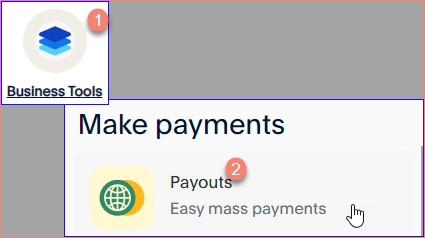
- In a separate browser tab, log into your PayPal Business account and navigate to Business Tools.

- Select API credentials.

- Click Get Started to generate your credentials.

- Copy your Client ID and Secret from PayPal.
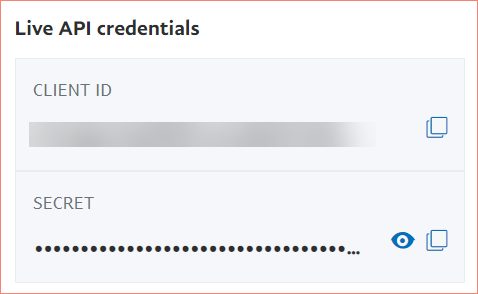
- Return to VendorPayout and paste these credentials into the PayPal API (Live) section on the PayPal Setup tab.
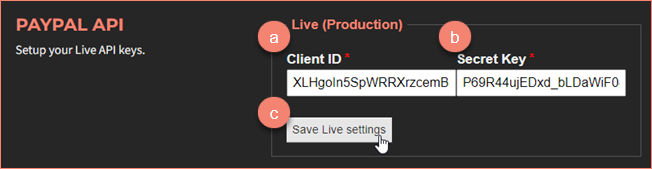
- Click Save Live settings to store your credentials.
What Setting Up PayPal Unlocks
Once your live keys are saved, VendorPayout can send money on your behalf. This enables the Pay via PayPal Payouts option when settling a payout statement, one-time PayPal payouts from a vendor's payout page, and recurring payouts.
Fees
Each vendor payout transaction incurs a $0.25 fee charged by PayPal. These are PayPal fees and VendorPayout is not associated with them.
Optional
PayPal integration is optional. You can continue paying vendors through other accounting systems like QuickBooks, Xero, Stripe, ACH transfers, or bank wires — record those payments on a payout statement or as a manual payout.