Changing Your Plan
You can upgrade or downgrade your VendorPayout subscription plan at any time:
- Open VendorPayout and navigate to Settings.

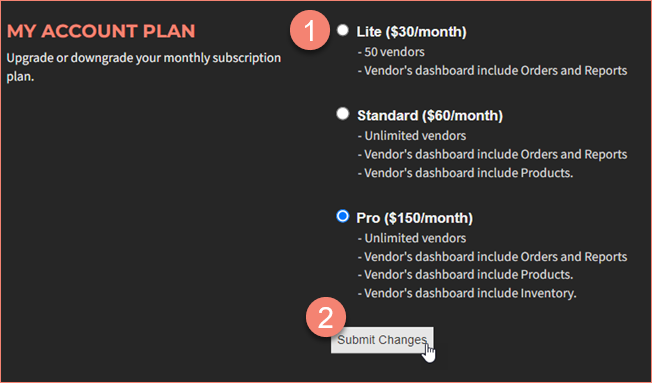
- Locate the "My Account Plan" section.
- Select your desired plan tier.
- Click "Submit Changes" to finalize the switch.
Have questions about plans? Contact us at support@vendorpayout.com.