Exporting Orders
VendorPayout lets you export order data into CSV format, which can be opened in Excel or imported into databases and third-party applications.
Steps to Export
- Launch VendorPayout and navigate to the Orders section.

- Apply filters to locate specific orders (skip this step to export all orders).

- Scroll to the bottom of the Orders Grid and click "Export to CSV".
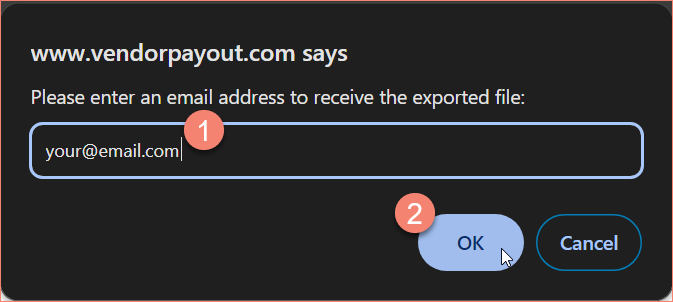
- Enter your email address to receive the generated file, then click OK.
- Check your email for a message titled "VendorPayout: your exported CSV file" containing a download link.
The CSV generation may take several minutes depending on the number of orders.