What are Splits?
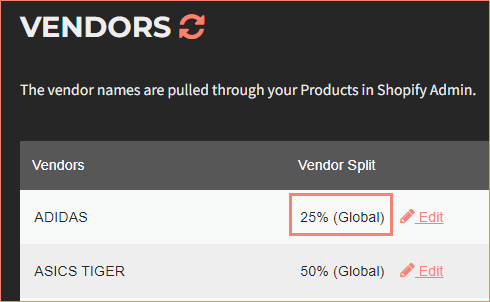
A split represents the amount a vendor gets paid for each sale of products associated to that vendor. Splits can be structured as either a percentage or fixed dollar amount.
For example, a 30% split means vendors receive 30% of the product price. VendorPayout also supports split overrides for paying multiple vendors on single products.
Set Default Splits
You can establish an automatic default split applied to newly added vendors:
- Select Vendors.
- Select the Split rules / overrides tab.
- Open More and click Configure default splits.
- Select Percentage or Fixed Amount from the dropdown.
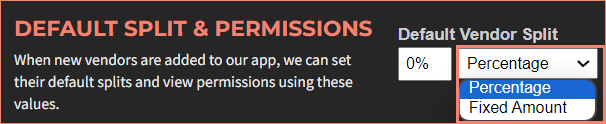
- Enter the percentage or fixed dollar amount.

- Click Save default.
Add or Edit Vendor Splits
To modify splits for existing vendors:
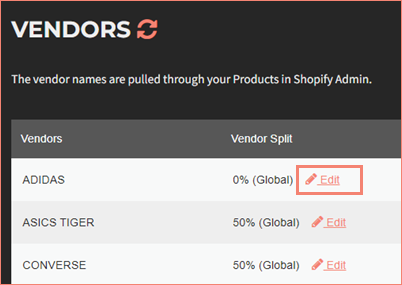
- Select Vendors to open the vendor list.
- Click the Edit link for the vendor.
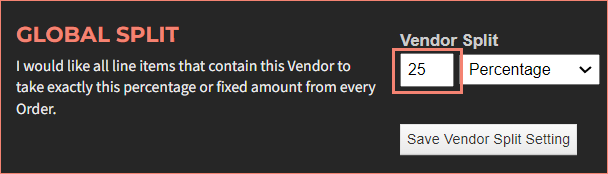
- Select Percentage or Fixed Amount from the dropdown.
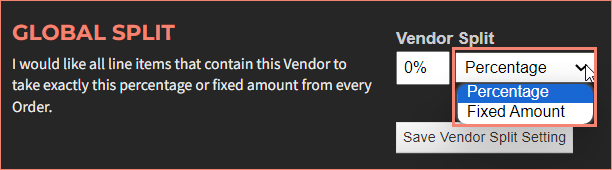
- Enter the percentage or fixed dollar amount.
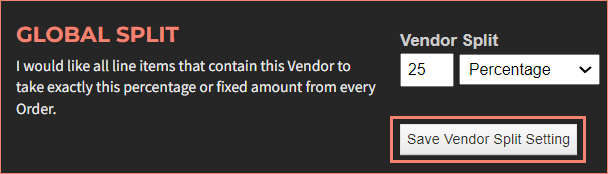
- Click the Save Vendor Split Setting button.
You will be returned to the Vendors screen with the updated split.